
AI UGC Video Generator for Ads That Look Real
Turn an ad script into selfie-style UGC videos for TikTok, Reels and Meta in minutes. No creators to brief, no products to ship.

"I spend last hour testing AI Humanizers to find that actually works..."

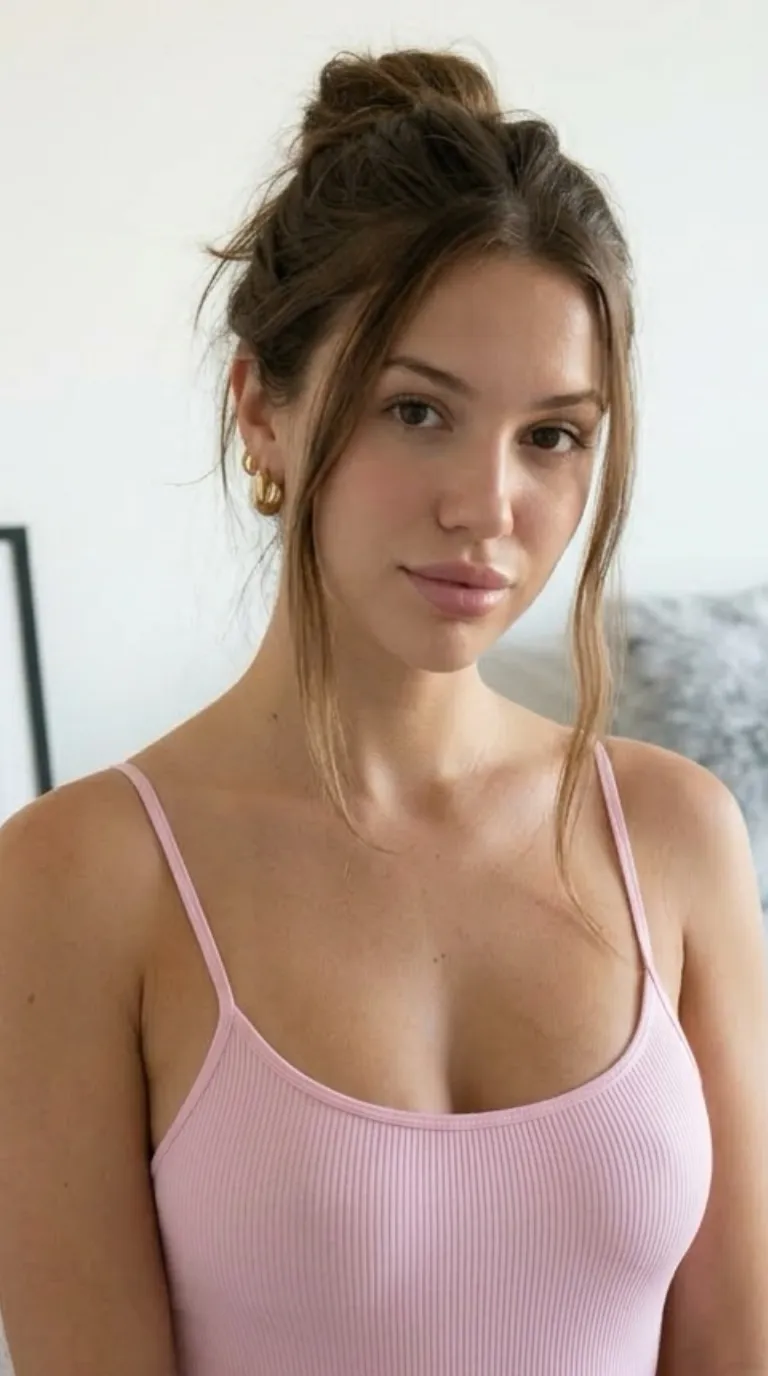
Create Speaking AI Avatars from a Photo & Script
Upload any portrait photo and watch it come to life. Our proprietary AI engine maps facial landmarks to create seamless, natural-looking speech animations that are indistinguishable from real video.
- Next generation realistic AI model
- Natural eye blinking, mouth and hands movements
- Up to 2-minutes video clips
- Cost effective
Create an AI UGC ad in 3 steps
Choose a creator
Pick a person from the UGC gallery, or upload a photo of a creator who gave you the rights to their likeness.
Paste your ad script
Hook, problem, product, call to action. Choose a voice or upload a voiceover. Turn on selfie mode for a handheld look.
Export and launch
Download vertical MP4 files and upload them to TikTok Ads Manager, Meta Ads Manager or YouTube Shorts.
Why performance marketers use AI UGC
Test more hooks per week
Change the first line, the offer or the creator and render a new version in minutes. Creative testing stops depending on a creator’s schedule.
Looks native to the feed
Selfie mode adds handheld camera shake, and the UGC gallery has casual, phone-shot creators instead of studio presenters.
Predictable cost per video
Video costs 0.1 credit per second. A 10-second ad costs between $0.33 and $0.67 depending on the plan, with no per-creator fees.
Animate Any Image with Motion Control
Upload an image, then guide it with real movement. Record yourself or use any motion video to make portraits, characters, and brand assets move naturally in the exact style you choose.
- Record your own motion or upload any reference video
- Transfer head, hand, and body movement to a static image
- Animate portraits, characters, product shots, and UGC assets
- Create dynamic clips without filming, rigging, or green screen
Record yourself or upload any clip as the movement guide.
How to make AI UGC ads that convert
UGC ads work because they look like a recommendation from a real person, not a commercial. The AI only removes the production bottleneck. The rest is the same craft that makes human UGC work.
1. Win the first two seconds
Most viewers decide in the first line. Write five or ten hooks for the same body and generate a version for each. Examples: a surprising claim, a direct question to the target customer, or the result before the explanation.
2. Match the creator to the buyer
Age, style and setting should feel like the person who buys your product. Test two or three different creators with the same script before you change the script itself.
3. Keep it short and specific
15 to 30 seconds is enough for most offers. Name one problem, show one product benefit and end with one clear action. Specific details ("arrives in two days", "fits in a backpack") sound more credible than adjectives.
4. Make it look handheld
Turn on selfie mode for natural camera shake, use vertical 9:16 framing and add captions in your editor, since many people watch without sound.
5. Iterate on data
Launch several variations at a small budget, keep the ones with the best hook rate and cost per result, and generate new versions of the winners.
AI UGC vs. hiring creators
| Hiring UGC creators | AI UGC with SpeakFace | |
|---|---|---|
| Time to first video | Days to weeks | Minutes |
| New hook or script change | New brief and payment | Re-render the video |
| Product shipping | Required | Not required |
| Cost of a 10-second variation | Creator fee per video | $0.33–$0.67 |
| Authentic reactions to the product | Yes | No, scripted only |
Many teams use both: real creators for hero content and AI UGC for fast, cheap testing of hooks and angles. See also our guide to UGC ads with AI.
Pricing
Choose the plan that fits your creative needs. Upgrade or cancel anytime.
Starter
$0.67 per video (10 sec)
Ideal for small projects and individual creators.
- 15 credits per month (0.1 credit/sec)
- ~ 15 videos per month (10s video)
- 3 batch tasks
Growth
$0.40 per video (10 sec)
Perfect for growing channels and consistent content.
- 100 credits per month (0.1 credit/sec)
- ~ 100 videos per month (10s video)
- 10 batch tasks
- Faster processing
Pro
$0.33 per video (10 sec)
The ultimate power for professional studios and agencies.
- 300 credits per month (0.1 credit/sec)
- ~ 300 videos per month (10s video)
- 30 batch tasks
- Faster processing
Frequently Asked Questions
What is an AI UGC video?
An AI UGC video is an ad that looks like user-generated content (a person talking to their phone camera about a product) but is generated by AI from a photo and a script, without filming a real creator.
Can I use AI UGC videos in paid ads?
Yes, you can use the videos you generate in your ads. Check each ad platform’s rules on AI-generated content and disclosure, and only use faces you have the rights to.
How many ad variations can I make?
As many as your credits allow. On the Growth plan, 100 credits cover about 100 ten-second videos per month, enough to test many hooks and creators.
Can the creator hold or show my product?
Talking-head UGC works out of the box. For hands, gestures and body movement, use Motion Control: record yourself acting out the shot and SpeakFace transfers the movement onto the creator image.
Can I automate UGC ad production?
Yes. The SpeakFace API creates videos from an image and a script and sends a webhook when they are ready, so you can generate ad variations from a spreadsheet or your own tool.
More ways to create with SpeakFace
AI Talking Photo
Turn one portrait photo into a video that speaks your script.
AI Lip Sync
Sync any face to any audio or text, with natural mouth movement.
Talking Head Videos
Presenter-style videos for courses, explainers and updates.
Motion Control
Transfer movement from a reference video onto a still image.
Talking Avatar API
Generate lip-synced avatar videos from your own code.

Ready to go viral?
Join hundreds of creators who are using SpeakFace.AI to dominate their niche.